
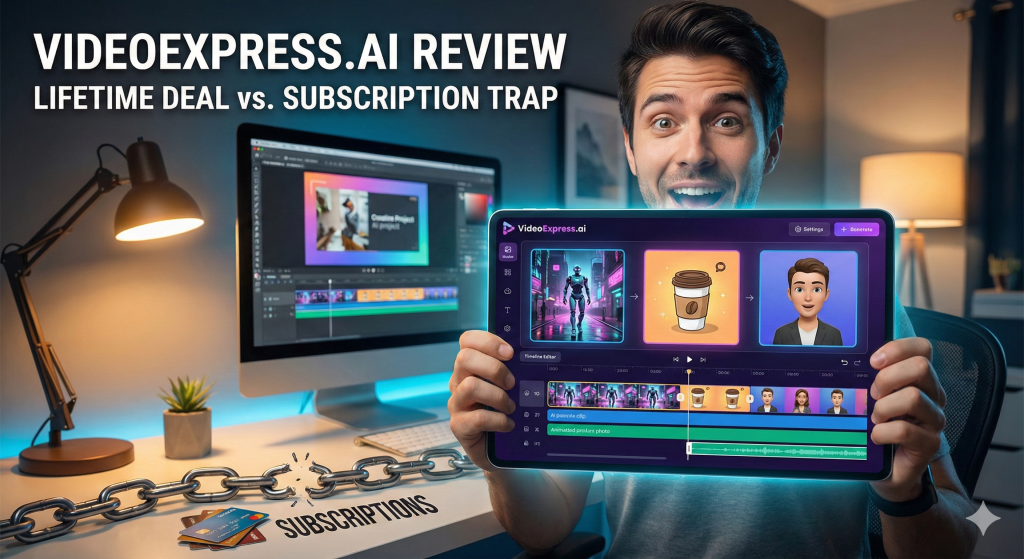
I was staring at my credit card statement last month, totally defeated. Between Synthesia, Runway, and Midjourney, I was bleeding nearly $200 a month just to keep my “AI content machine” running. It felt less like a creative studio and more like a subscription trap. I was desperate for an off-ramp. That’s when I stumbled across a whispered rumor in a Discord group about VideoExpress.ai.
Key Takeaways
- Solves the “Subscription Fatigue”: It’s one of the only robust AI video tools that offers a true lifetime license, killing those recurring monthly bills.
- All-in-One Dashboard: Combines text-to-video, image animation, and a full timeline editor so you don’t have to app-hop.
- Commercial Rights Included: Unlike the “free tiers” of competitors, you own what you create and can sell it immediately.
Quick Verdict
- Best For: Faceless YouTube Channels, Affiliate Marketers, and Budget-Conscious Freelancers.
- Top Feature: The “Motion Brush” that brings static images to life without complex prompting.
- Rating: 4.6/5
Wait, You Pay Once and That’s It?
Okay, let’s address the elephant in the room immediately because I was skeptical too. In 2025, everything is a subscription. You rent your music, you rent your movies, and you definitely rent your AI software. When I saw VideoExpress claiming a “pay once, use forever” model, my scam radar went ding-ding-ding.
But I dug in, and here’s the reality: It’s legit. VideoExpress isn’t trying to be Hollywood-level CGI like Sora; it’s trying to be the “Canva of Video.” It’s a cloud-based platform where you can generate clips from text, animate photos, and stitch them together. The interface is shockingly simple—no coding, no complex nodes. You type “cyberpunk city raining,” and boom, you get a video. And because you aren’t bleeding credits every month, you actually feel free to experiment. If a generation looks weird? Who cares. Delete it and try again. You didn’t just waste $2.00.
The “Magic Wand” Features Under the Hood
It’s not just a wrapper for Stable Diffusion; they’ve packed a serious toolkit in here. Here is what actually matters when you’re in the trenches creating content:
- Text-to-Video Generator: The bread and butter. You type a prompt, pick a style (Cinematic, Anime, 3D Render, etc.), and it spits out a clip. Is it 100% perfect every time? No. But for B-roll, background visuals, and social media clips, it’s solid.
- Image-to-Video (The Motion Brush): This is my favorite part. You can upload a static image—maybe a Midjourney creation or a product photo—and “brush” over the area you want to move. Brush over the water? It flows. Brush over smoke? It rises. It turns a boring JPEG into a stopping-scrolling asset.
- Inpainting & Object Removal: Got a weird artifact in your AI video? Or a random person in your shot? You can highlight it and the AI erases it or replaces it. It’s like Photoshop’s Generative Fill, but for video.
- Talking Photos: Upload a portrait, type some text (or upload audio), and the face animates to speak the lines. It’s fantastic for “faceless” channels where you want an avatar but don’t want to show your own face.
How I’m Actually Making Money With This
Features are cool, but cash flow is cooler. Here is how I’ve seen people (and myself) actually deploying this tool in the wild:
- The “Faceless” YouTube Hustle: This is the killer use case. You can generate a script with ChatGPT, create a voiceover (VideoExpress does that too), and then generate 20-30 clips to visualize the story. Stitch them in the timeline editor, and you have a video ready for upload in under an hour.
- Local Business Ads: I used the “Motion Brush” on a local coffee shop’s photo of a latte. I made the steam rise and the coffee swirl. They went nuts for it. It took me 3 minutes; I charged them $150 for the “animated social pack.”
- Affiliate Product Reviews: You can take static images of a product from Amazon, animate them, put them on a cool background, and add a voiceover. It looks way higher production value than a simple slideshow, increasing conversion rates.
What ‘Jobs’ Can You Hire VideoExpress For?
When you buy this tool, you aren’t just buying software; you are firing a bunch of expensive freelancers. Here are the specific roles it fills:
- Automating Your B-Roll: Hire it to create unlimited, copyright-free background clips so you never have to pay for iStock or Storyblocks again.
- Being Your 24/7 Animator: Hire it to take your boring blog post headers and turn them into 5-second looping GIFs for Twitter and LinkedIn.
- Serving as Your “Faceless” Spokesperson: Hire it to speak your scripts in multiple languages using the Avatar feature, saving you from buying a camera, lights, and microphone.
My “Credit Limit Anxiety” Has Finally Vanished
Let me take you back to “The Frustration.” I was using a competitor tool (I won’t name names, but it rhymes with ‘Run-away’). I had a brilliant idea for a sci-fi short. I spent two hours prompting, and then… “You have 0 credits remaining.” To finish my project, I would have had to pony up another $95. I was furious. The creativity died right there.
The “Aha!” moment with VideoExpress wasn’t the first time I used it; it was the 50th time. I was tweaking a prompt, trying to get a specific lighting effect on a robot. I generated the clip 20 times in a row until I got it perfect. Then it hit me: I hadn’t spent a dime extra. The freedom to fail, iterate, and refine without watching a credit counter tick down to zero is absolutely liberating. My “New Reality” is that I can brute-force creativity. If the first 10 clips suck, I just make 10 more. That is priceless.
The Good, The Bad, and The AI
Look, no tool is perfect, especially one with a one-time price tag. Here is the honest breakdown of where it shines and where it stumbles.
The Good Stuff
- ✅ Lifetime Access: Seriously, I cannot stress this enough. One payment, no monthly billing. It pays for itself in two months compared to other tools.
- ✅ Built-in Timeline Editor: You don’t need to export clips to Premiere Pro. You can stitch, add music, and export the final video right there.
- ✅ Commercial License: You own the videos. You can sell them to clients immediately without worrying about legal gray areas.
What I’d Change
- ❌ Clip Duration: Like most AI tools, the raw generations are short (usually 3-4 seconds). You have to stitch them to make long videos.
- ❌ Server Speed: On the basic plan, if the servers are busy, you might wait a minute for a render. (The “Elite” upgrade fixes this, but it’s an extra cost).
Who Is VideoExpress REALLY For?
- You, The YouTube Automation Builder: If you run channels about history, space, facts, or motivation, this tool is a goldmine. You can churn out content daily without eating into your profits.
- You, The Small Agency Owner: Stop paying freelance animators $300 for a simple logo reveal or social post. Do it yourself in-house in 10 minutes.
A Quick Note on “Adjacent Concepts”: While VideoExpress is a beast for marketing and social media content—think rapid-fire visuals, explainers, and ads—it is not a replacement for a Hollywood VFX pipeline. If you are trying to make a 90-minute narrative film with consistent characters and perfect lip-syncing across 50 scenes, you’re going to struggle. For that, you need high-end (and expensive) tools like Runway Gen-3 or Sora. But for the daily grind of content creation? This is the workhorse you want.
- But, You’ll Probably Hate It If…: You are an ultra-high-end motion graphics artist who needs pixel-perfect control over every frame. This is an AI generator, not After Effects.
Frequently Asked Questions
Is VideoExpress.ai a one-time payment?
Yes! That is the main selling point. You pay once for the license and get lifetime access to the core features.
Are there any hidden fees?
The base deal is complete, but they do offer an “Elite” upgrade (optional) for faster rendering, face swapping, and higher monthly limits.
Can I use the videos on YouTube and monetize them?
Absolutely. You get a commercial license, meaning you can monetize the content on YouTube, TikTok, or client sites.
How long can the videos be?
Individual AI clips are usually 3-5 seconds. However, you can stitch unlimited clips together in the timeline editor to make a video of any length.
Is there a money-back guarantee?
Yes, they typically offer a 30-day money-back guarantee if the software doesn’t work for you.
Is there a watermarks on the videos?
No. Unlike free trials of other software, the paid version of VideoExpress produces clean, watermark-free video.
The Final Verdict: A Budget Creator’s Dream
If you have unlimited budget, sure, go subscribe to the $500/month enterprise tools. But for the rest of us? VideoExpress.ai is a lifeline. It democratizes AI video creation. It gives you 90% of the power of the big guys for 1% of the cost over the long run. The “New Reality” for me is simple: I can finally say “yes” to every video idea I have, because it doesn’t cost me extra to try.
Alternatives to VideoExpress (If You Prefer Subscriptions)
If VideoExpress isn’t your jam, or you need specific enterprise features, these are the other players in the game.
| Alternative | Rating | Key Feature Difference | Starting Price | ||
|---|---|---|---|---|---|
| Synthesia | #1 | 4.8/5 | Enterprise & Corporate Training | Their avatars are scarily realistic, almost indistinguishable from humans. | $22/mo (Billed Yearly) |
| HeyGen | #2 | 4.7/5 | Viral Social Media | The viral video translation that dubs your voice perfectly into other languages. | $29/mo |
| InVideo AI | #3 | 4.5/5 | Long-form Content | You can generate a full 10-minute documentary from a single prompt. | $20/mo |
| Runway | #4 | 4.4/5 | High-End Artists | The Gen-3 model creates cinematic, movie-quality generative video. | $12/mo (Credit Based) |
| CapCut | #5 | 4.6/5 | Mobile Editing | Best manual editing tools, though the AI generation is more basic. | Free |
