
Quick verdict: DoodleMaker is worth a look if you teach or sell something that makes more sense when someone draws it out. The advertised $47 Commercial plan fits short explainers if 720p is enough. If you need 1080p or a video longer than six minutes, check the advertised $69 Enterprise plan. Either way, test a real export before building a course around it.
Some links may be affiliate links (no extra cost to you). This review is based on vendor materials and published customer reports. The example is illustrative. I didn’t render an export or test the editor in a paid account.
Check the current DoodleMaker offer
When drawing the explanation helps
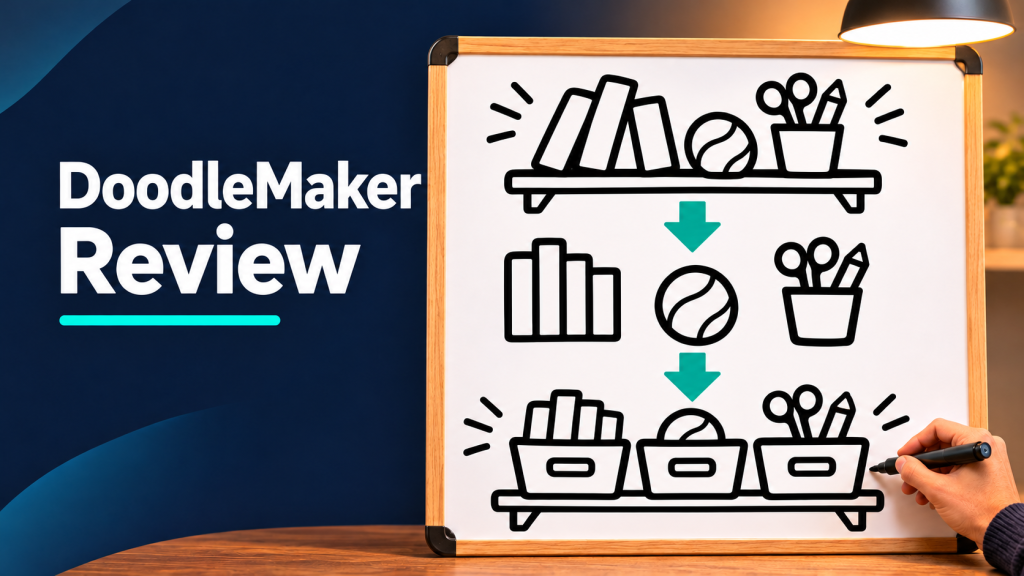
Say you’re a home organizer and you want to explain your first visit. A hand draws a cluttered shelf, circles three groups of items, and finishes with a labeled shelf. Each drawing appears when the narration mentions it. That’s a job for whiteboard animation because the audience can follow the process one decision at a time.
The vendor’s offer page describes whiteboard, blackboard, and glassboard styles, templates, a drag-and-drop editor, and text-to-speech. I’d use the drawing style to teach a sequence. If your goal is a more cinematic clip from a reference image, see my VideoExpress review for a different workflow.
Make one three-scene explainer before tackling a series
- Write three short lines. Describe the clutter, show how you group it, then explain how the labels help.
- Use one drawing per idea. Start with a whiteboard template, then swap in simple illustrations of a shelf, three groups, and the finished setup.
- Match drawing time to the narration. Preview the transition between scenes and check that a label appears when you say its name.
- Save, reopen, and export. Watch the actual downloaded file at the size your audience will see it. Check drawing order, pacing, and audio.
Easy mistake: Packing a whole explanation into one scene. Split it into one visual action per line. If the timing still feels rushed, shorten the sentence before adding another animation.
Commercial or Enterprise?
| Plan | Advertised price | Advertised export limit |
|---|---|---|
| Commercial | $47 one time | 720p, up to 6 minutes per video |
| Enterprise | $69 one time | 1080p, up to 15 minutes per video |
The plan table lists commercial rights for both. The same page advertises a coupon for Enterprise and routes the plans through different checkout providers. Verify price, coupon, and license at the checkout you use. The separately advertised Deluxe upgrade is another offer. The redirect reached the merchant’s offer route, but I couldn’t confirm final checkout terms or attribution.
What customer reports suggest testing
Some Capterra reviewers liked the straightforward editing and animation options. A Trustpilot reviewer reported problems with scene order and timing in multi-slide exports. These are individual experiences. The practical takeaway is to export a short multi-scene project early and make sure the result matches your preview before you commit to a deadline.
Frequently asked questions
How much does DoodleMaker cost?
The offer page lists Commercial at $47 and Enterprise at $69 as one-time prices. It also advertises an Enterprise coupon. Check the actual total and plan name in checkout before paying.
Does the Commercial plan export in 1080p?
The plan table lists 720p for Commercial and 1080p for Enterprise. Use the table over the general 1080p headline when comparing plans.
How long can a video be?
The vendor lists up to six minutes per video on Commercial and 15 on Enterprise. For a longer lesson, export segments and stitch them together in your regular editor.
Does unlimited include voice generation and rendering?
The offer advertises unlimited renders, text-to-speech, and translation. I couldn’t verify plan-specific fair-use or processing rules. Confirm those limits if you have a large batch to produce.
Is there a subscription or a required upgrade?
Both entry plans are advertised as one-time purchases. The vendor also sells a separate Deluxe upgrade. Confirm what the selected plan includes, whether extras recur, and how long hosted access lasts.
Can I upload my own images?
The vendor advertises personal uploads and photo-to-sketch tools. Try one logo and one detailed image before committing to a full video, then inspect the exported result.
Can I sell videos to clients?
Both plans advertise a commercial license for finished videos. Verify the terms for your chosen music and stock assets, especially if the video will run as a paid ad or the client wants reusable source files.
Can I make the same explainer in another language?
The offer advertises translation and text-to-speech. Have a fluent speaker check meaning, names, and pacing, then confirm that the translated narration still fits your scenes.
Do exports have a watermark?
I couldn’t verify watermark behavior by plan. If branding matters, check a sample export from the exact tier you intend to buy.
Can I make vertical videos for Shorts or Reels?
I couldn’t verify native vertical export on these plans. If your deliverable must be 9:16, verify the aspect ratio or test your intended crop before building a project around it.
Is there a free trial or a refund?
I couldn’t confirm an interactive free trial. The offer advertises a 30-day guarantee. Check the checkout terms and refund contact, and test an actual export early if you buy.
What should I test first after buying?
Use a short three-scene script. Save and reopen it, render it, and compare the downloaded video with the preview. Check scene order, timing, narration, and whether every image survived export.
Compare the current DoodleMaker plans
Share this:

Recently published
- ChatterPal Review: Is the $49 Website Chatbot Worth It?
- AIVideoBuilder Review: Is the $49 Video Builder Worth It?
- VideoExpress AI Review (2026): Is VideoExpress 3.5 Worth the One-Time Price?
- CloneVoice.ai Review (2026) — Pricing, Daily Limits and How It Sounds
- VideoExpress.ai Questions Answered (2026): Pricing, Limits & Fixes