Last updated November 10, 2026
Quick Verdict
Artistly is most interesting when you regularly need images you can actually use for thumbnails, mockups, merchandise concepts, or illustrated scenes. Its appeal is the combination of image generation and editing in one browser app, with a one-time purchase option. I’d judge it by how many usable assets I can finish in a session, including cleanup, instead of how many images it can generate.
- Best for creators and small businesses that repeatedly make marketing graphics, mockups, or illustrations.
- Public prices $49 Commercial and $147 Premium, both advertised as one-time payments.
- Main reason to upgrade You need specific Premium workflows such as consistent characters, dedicated text in images, advanced mockups, storybook tools, or four results per prompt.
- Read before buying The sales FAQ states an All-Access fair-use limit of 400 daily generations. The lifetime terms allow limits and features to change.
Affiliate disclosure If you buy through a link on this page, I may earn a commission at no extra cost to you.
On this page Artistly 6.0 · Workflows · Pricing · Limits and licensing · Buyer feedback · FAQ
What Artistly 6.0 Actually Does
Artistly covers several jobs that can otherwise take separate tools. You can generate a base image, turn it into a different shape, replace a distracting area, remove or change the background, and build a presentation image around the result. The vendor’s 6.0 tutorial library separates the image designer, design agents, advanced editing, and bulk actions. I’d start with the tool that matches the deliverable.
Image Designer and Task-Specific Design Agents
Start in the Image Designer when the goal is an illustration or visual concept from a prompt. The vendor documents options for photorealism, logos, apparel, posters, stickers, and social images. A brief with a specific subject, composition, background, and intended crop is more useful than a list of adjectives. If the layout must leave room for a title, ask for that space up front.
Design agents give you a narrower starting point. The tutorials cover thumbnails, coloring pages, personalized pet portraits, script-to-storyboard, and storybooks. That can save time if the job repeats. For example, a thumbnail workflow can help you start from a composition meant to read at small size, while a coloring-page workflow puts the emphasis on line art. The final file still needs a human review for spelling, proportions, and suitability for the intended output.
Advanced Editing, Backgrounds, and Export
- Inpainting targets part of the image for a local edit. I’d use it when the composition already works and the problem is confined to one object or area. Check the result against the original for changes to edges, lighting, or the subject.
- Outpainting extends the canvas. This is useful when the original image crops well in a square but needs breathing room for a landscape banner or a vertical post. Look for repeated objects or inconsistent perspective in the added area.
- Background removal and Instant Scene help when you want the same subject on a transparent background or in a different setting. Inspect hair, fur, transparent edges, and shadows at full size.
- Upscaling can increase dimensions. Look at the exported pixel count and the detail it actually retains. An enlarged file can still have soft edges or artifacts that show up in print.
Consistent Characters, Storybooks, and Storyboards
The Premium comparison lists Consistent Character, Custom Character Scene Creator, and several storybook tools. The 6.0 tutorials also cover multiple-character stories and script-to-storyboard. These are useful when the job calls for the same character across scenes, poses, or camera angles. Start with a clean reference and a short description of the details that should stay fixed. Review the scenes side by side for face shape, outfit, colors, size relationships, and accessories.
The vendor also demonstrates integrations with VideoExpress and CloneVoice. For a video workflow, I’d use Artistly for character references and storyboard frames, then judge motion, dialogue, and timing in the video editor. For that second half, see the VideoExpress review.
Three Jobs I’d Use Artistly For
These examples show how I’d evaluate Artistly using the documented tools. The product details come from the vendor’s materials and public reviews.
1. An Etsy Listing Image or Product Mockup
- Start with a real source file. For a printable planner, use a screenshot or export of the actual pages. For a physical item, start with an accurate product photo or the real print design.
- Generate the scene around it. Try a neutral desk setup or a simple lifestyle background. Keep the product large enough to read in a small search thumbnail.
- Check what the image promises. Compare the mockup against the actual item. If the output changes page text, colors, dimensions, packaging, or included accessories, place the real art over the mockup in your editor.
- Export and inspect the crop. Preview it at listing-thumbnail size, then at full size. For a digital download, make it clear which elements the buyer receives.
Magic Merch and the advanced mockup tools can help you generate more presentation options. If you need a product photo to match a specific SKU, use the real product as your anchor and check every important detail.
2. Print-on-Demand Art or Sticker Packs
For a shirt graphic, I’d prompt for a simple silhouette, a limited palette, and a clean background. Generate a few distinct compositions, pick one, remove the background, and check the transparent edges. Add the final wording separately when readability matters. Match the actual printer’s template and review the design on both light and dark material.
For stickers or clipart, compare the pack as a set before running a large batch. Look for consistent line weight, spacing, color, and cropping. Premium bulk tools can make more variations, but reviewing 100 weak designs takes longer than fixing the first six. For apparel or stickers, I’d order a sample before relying on the mockup as proof of print quality.
3. A Recurring Character for a Story or Video
Make one reference image you can recognize at a glance. For a detective mouse, the traits might be gray-and-white fur, a tan coat, and a fedora with a dark band. Run three different scenes before building a whole story. Try a close-up, a full-body shot, and a scene with a second character. Compare eyes, fur, outfit, scale, and recognizable accessories across all three. If a feature consistently drifts, simplify the prompt and check whether changing one variable helps.
When a character needs to carry an entire series, the deciding factor is how much correction you have to do from one scene to the next. That’s a more useful Premium test than generating one appealing portrait.
What About Logos and Thumbnails?
I’d use Artistly to explore a mark, palette, or thumbnail composition. For a final logo, rebuild the approved mark in a vector editor and check how it reads in one color and at small sizes. For thumbnails, view the finished design beside competing thumbnails at actual feed size. AI lettering can look convincing at a glance and still contain a typo when you zoom in.
Artistly Pricing and the Commercial vs. Premium Decision
The public plan comparison showed these prices when I checked on November 10, 2026. The FAQ also advertised a $97 in-app upgrade from Commercial to Premium. Offers and upgrade terms can change.
| What you need | Commercial | Premium |
|---|---|---|
| One-time list price | $49 | $147 |
| Prompt-to-image and visual editing | Listed | Includes Commercial tools |
| Mockups and apparel | Magic Merch and T-shirt generator listed | Additional product mockup and apparel tools listed |
| Character and storybook workflows | Specialized workflows listed under Premium | Consistent Character, custom scenes, and several storybook tools |
| Text and generation options | Core image generation | Perfect Text, faster generation, and four images per prompt listed |
| Batch and publishing tools | Core design tools | Bulk Clipart, seamless patterns, and paperback book creation listed |
The plan comparison is more useful than the broad “all features” language in the FAQ. Several similar-sounding tools appear on both sides, including mockups and shirt design, so check the exact workflow name before choosing. The face switcher description also uses “Elite,” while the public table lists face-in-image tools under Premium. I’d confirm which specific tool the checkout includes if that’s the reason you’re buying.
For occasional social visuals or mockups, I’d start by looking at the $49 package. For regular character work, bulk clipart, or designs where the dedicated text workflow matters, I’d compare Premium. The current Artistly offer showed both list prices when I checked. It also advertised a coupon, so use the checkout total for the actual price.
What “Lifetime,” “Unlimited,” and Commercial Use Mean
Fair Use and Product Lifetime
The sales FAQ advertises 400 image generations per day under fair use for All-Access. The Artistly lifetime terms define lifetime as the commercial life of the service. They allow dynamic changes to generation, resolution, storage, and queue limits. Future features can also have separate pricing or availability. If you’re planning a daily batch workflow, ask how the current plan counts four-output prompts, retries, edits, and bulk jobs. Those details determine how much finished work you can get out of a day.
Commercial Permission, Copyright, and Exclusivity
The vendor advertises commercial use, including client work, subject to its terms. The $49 comparison lists a commercial license, but the heading above its buy button uses “Personal License.” For merchandise or paid client work, get confirmation of the specific offer and your intended use from the vendor. Separately, the terms say output may be similar to another user’s and include restrictions around human likenesses.
Permission to use an output commercially and eligibility for copyright are separate questions. The U.S. Copyright Office says prompts alone do not establish human authorship, while sufficiently creative human contributions may qualify. For a client logo or product where exclusivity matters, document your creative work and verify that the design clears the relevant third-party rights. U.S. Copyright Office guidance
Refund Language
The sales page advertises a 30-day guarantee and lists support@artistly.ai for refund requests. The general terms describe payments as nonrefundable except where required by law. Keep a copy of the offer you purchase and confirm the applicable refund terms if the checkout wording differs.
What Reviewers Say and What I’d Check First
Reviewers on Capterra and Software Advice reported useful results for illustrations, content, and design workflows. Some also described inconsistent prompt results, a learning curve, and the need to refine outputs. Software Advice identifies some reviews as incentivized. Trustpilot has separate listings for the main site and the app, so I’d read the experiences on each profile individually. Capterra · Software Advice · Trustpilot website profile · Trustpilot app profile
The public reviews cover different versions and creative jobs. A result that looks promising in a thumbnail demo can still need considerable cleanup for a shirt or a client deliverable. I’d evaluate one actual job from start to finish. Count how many outputs you’d publish, how much cleanup they take, and whether the exported files work where you intend to use them.
Pros
- Generation, local edits, background changes, and mockups are available in one workflow.
- The one-time offer makes it straightforward to compare the initial platform cost against a recurring plan.
- Premium covers several repeatable jobs such as characters, storybooks, and bulk clipart.
- The official tutorials show where to start for specific deliverables.
Cons
- Daily generation and service limits can change under the lifetime terms.
- Some feature names and license labels differ across the same sales page.
- Text, reference consistency, transparent edges, and product fidelity still need manual review.
- Production jobs may still require a dedicated layout, vector, or photo editor for finishing.
Artistly Alternatives by Job
- Canva is where I’d look first when the job is assembling branded graphics with editable text and reusable layouts. Artistly is more interesting when I need to generate the artwork or scene that goes into that layout.
- Midjourney is worth comparing if the main job is visual exploration. Run the same brief through both and compare how much editing it takes to reach your intended result.
- Photoshop or Illustrator make sense when the final deliverable needs detailed compositing, an editable vector mark, or precise typography. Artistly can help create an asset that you finish there.
Artistly FAQ
Is Artistly a one-time payment?
The public offer lists $49 Commercial and $147 Premium as one-time purchases. The lifetime terms define access around the commercial life of the product and allow changes to features and usage limits.
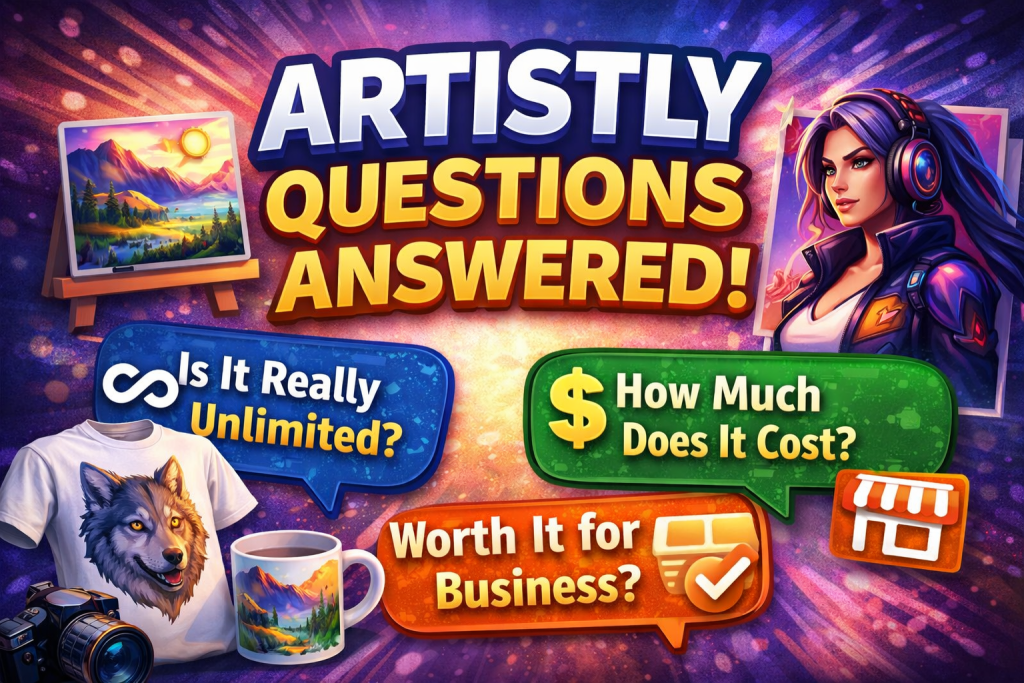
Is Artistly unlimited?
The sales FAQ advertises 400 image generations per day under fair use for All-Access. The lifetime terms allow Artistly to change limits and apply throttling. Confirm how your plan counts multiple outputs and bulk jobs if throughput matters.
Can I sell designs made with Artistly?
Artistly advertises commercial use, subject to its terms and the rights involved in your specific design. The $49 offer uses both Commercial and Personal wording, so confirm your intended use with the vendor before purchasing that tier for client work or merchandise.
Does Artistly include a refund guarantee?
The sales page advertises a 30-day money-back guarantee and directs requests to support@artistly.ai. The general terms describe fees as nonrefundable except where required by law. Save the offer and ask support to clarify the guarantee for your checkout if the language differs.
Which plan includes consistent characters?
The public comparison lists Consistent Character and Custom Character Scene Creator under Premium. Confirm the exact workflow you need, especially if you need two characters to stay distinct within one scene.
Can Artistly make images with readable text?
Artistly documents a dedicated text-in-image workflow and lists Perfect Text under Premium. Check every character before publishing. For critical labels or small type, add the text separately in a layout editor.
Does Artistly work on Windows and Mac?
Artistly is a browser-based service. You can use a supported browser on Windows or Mac. If mobile is your primary workflow, test uploading references, making precise selections, and downloading the finished files on your device.
Where do I log in or get training?
Use app.artistly.ai and the email associated with your purchase. The vendor publishes a tutorial library at artistly.ai/tutorials2/ and lists support@artistly.ai for account and product help.
Final Verdict
I’d consider Artistly when I have a repeatable visual job and want to handle generation, editing, and mockups in one place. I’d choose the plan around the job I already need to finish. A handful of social images and mockups gives me a reason to compare Commercial. A recurring cast of characters or a larger clipart workflow gives me a reason to compare Premium.
Start with the hardest asset you actually need to ship. If it’s a product mockup, check the product. If it’s a story, compare the characters across scenes. If it’s merchandise, inspect the exported artwork at print size. Those tests are where I’d decide if the one-time price makes sense.
Browse more AIToolCritic software reviews.
