
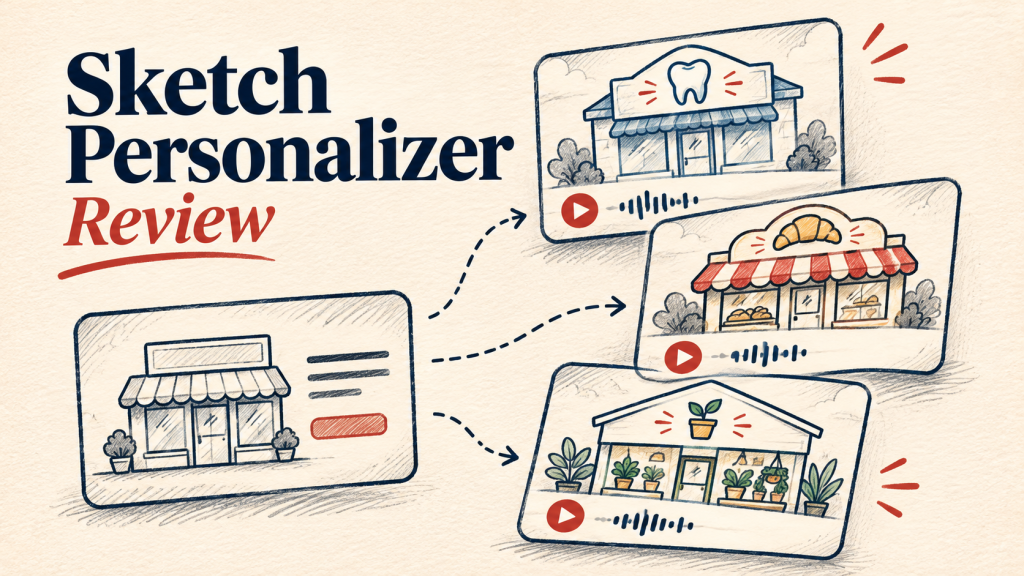
Quick verdict: Sketch Personalizer is worth a look if you send the same kind of introduction or follow-up to several clients and want each video to say the recipient’s name aloud. The vendor advertises Excel imports, sketch animation, and personalized narration. Platinum has the lower advertised total at $291 versus $335 for Gold, though it costs more per installment. Both plans list monthly video caps.
AIToolCritic may earn a commission if you buy through these links, at no extra cost to you. This review draws on the vendor’s public offer and support materials. The example is illustrative. The editor requires a login, so I couldn’t render a sample or test delivery.
Check the current Sketch Personalizer offer
What changes from one video to the next?
Think of it as a mail merge for a narrated sketch video. You write the part everyone needs to hear once, then use spreadsheet data to make each version specific to one viewer. The vendor lists names, companies, websites, and logos as personalization options, along with neural text-to-speech voices. The suite also includes a lead finder and an email outreach app. Vendor workflow and feature list.
How a freelancer could use it for warm follow-ups
Say you build websites and three business owners asked what a homepage refresh would involve. Make one short sketch that shows an example homepage, highlights the booking button, and ends with an invitation to talk. Give each viewer a personal opening, such as “Hi Maya, here’s what I’d look at first for Willow Dental.”
- Prepare a small Excel sheet. Start with each contact’s first name and company. Add a website or logo only if it helps explain the idea and you have permission to use it.
- Write the shared script. Keep the explanation the same across versions and use the name and business fields in the introduction. Pick a voice that fits the pace of the sketch.
- Generate a small batch first. Listen for the names and check that the right business appears in each version. If a synthetic voice trips over a surname or reads a full URL out loud, revise the spoken wording or use the first name and regenerate a sample.
- Check what the recipient sees. If you use the bundled sender, test delivery to your own inbox and open it on a phone. Check how clearly the email directs the viewer to the video.
The time savings come from reusing the middle of the video. The work you still have to do is clean up the spreadsheet, listen to the personalized lines, and make sure the offer actually fits the recipient.
Gold vs. Platinum pricing and monthly limits
The vendor’s sales page lists two installment plans in USD. The $67 option costs less today, while the $97 option costs $44 less in total.
| Plan | Payments | Total | Personalized videos |
|---|---|---|---|
| Gold | 5 × $67 | $335 | 500 per month, rising to 750 after all five payments |
| Platinum | 3 × $97 | $291 | 750 per month |
The page uses “unlimited” language for the suite alongside specific monthly video allowances. Budget using the stated caps and confirm how revisions count if you expect to run large batches. The offer advertises a 30-day money-back guarantee and says you can cancel. Check the refund process and what happens to access and remaining installments if you cancel early.
Check the current Sketch Personalizer offer
Who gets the most out of it?
A freelancer or small agency with a repeatable pitch, onboarding video, or follow-up has a clear reason to try it. If you need one whiteboard explainer that everyone can watch, compare the editing and export options in our DoodleMaker review. The purchase decision here comes down to whether you need the same message to address each viewer by name.
Sketch Personalizer FAQ
Is Sketch Personalizer the same as SketchGenius?
They are separate products. The vendor describes SketchGenius as a video creation app and Sketch Personalizer as a personalization and outreach suite. Vendor support comparison.
Do I need to buy SketchGenius first?
The offer lists Sketch Personalizer’s own video maker in both plans. It separately lists access to additional voices in SketchGenius as a bonus, so confirm the requirements if that bonus is part of your buying decision.
What spreadsheet format does it accept?
The vendor specifies Excel. The public materials reviewed leave the exact file extensions, required column headings, and CSV support unclear.
Do I need to connect an SMTP provider?
The vendor says the bundled outreach sender works without an external SMTP service. Sender identity, inbox placement, and playback behavior in specific email clients remain unverified.
Can I download an unbranded MP4?
Ask for a sample export before promising downloadable client files. MP4 availability, resolution, and watermark rules were unclear in the public offer.
Do regenerated videos count against the monthly cap?
The public plan details list the monthly allowances. They leave counting for revisions, failed renders, and unused monthly capacity unclear.
Can I sell videos to clients?
Both plans advertise a reseller license for client videos. Confirm the deliverable and transfer rights if a client needs editable source files or wants to reuse the included assets separately.
Are there rules for reselling sites made with the bonus builder?
The website terms specify a recommended $197 resale price and say the vendor may ask about usage if you create more than 30 sites a month. Check those terms if the builder is part of your purchase decision. Vendor website terms.
Is there a free trial?
The public app link opens a sign-in screen. A self-serve free trial was unverified. App sign-in.
How do I reach support about a refund or license question?
The offer lists support@sketchpersonalizer.com. Keep a copy of the checkout terms and ask support how to request a refund and when the 30-day window begins.
Share this:

Related articles
- AIVideoBuilder Review: Is the $49 Video Builder Worth It?
- HumanPal Review: Is the $49 Avatar Video Maker Worth It?
- Synthesia Review (2026): Can It Replace Human Video Creation?
- CapCut Review (2026): Is This The Only Video Editor You Need?
- InVideo Review (2026): Can This AI Really Clone Your Video Editor?