
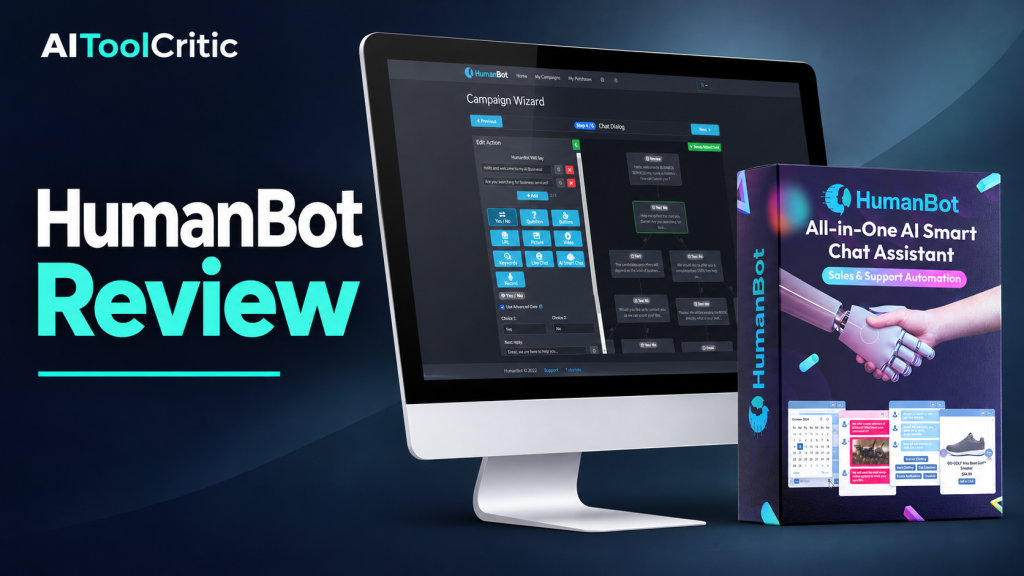
Quick verdict: HumanBot is worth a look if visitors repeatedly ask about your services, hours or booking process. It can use your business content to answer questions, guide visitors through a chat flow and give your team a way to step in. The vendor lists a $49 one-time option with up to 100 chat apps. For one business site, I’d start there if the checkout confirms the features you need.
Some links may be affiliate links (no extra cost to you).
Check the current HumanBot offer
What I’d put HumanBot to work on first
Picture a portrait photographer who gets the same three questions after hours: Do you offer family sessions? Where do you shoot? How do I book? A useful chatbot answers with the published package details, asks one or two relevant questions and sends the visitor to the photographer’s inquiry page. For a request outside the published packages, it gives them a way to reach a person.
That’s an illustrative workflow. This review draws on the vendor’s offer and customer reviews. I verified the affiliate destination and reviewed the advertised workflow. I didn’t run a private dashboard or a live deployment.
How to set up a bot you can trust with basic questions
- Start with one source you maintain. Use your current FAQ or service page. Give the bot the package names, starting prices, service area and official inquiry link. The vendor lists URLs, PDFs and documents as supported sources.
- Give each chat a useful destination. Answer the question first. For people who want a quote, create a short flow that asks for the session type and sends them to your inquiry form. If you’d rather collect contact details in the chat, verify that a test lead reaches the person who follows up.
- Try questions with a known answer and questions with no answer. Ask “Where do you shoot?” and “Are you free this Saturday?” The second question should lead to your availability page or a human unless you’ve confirmed the booking setup actually checks availability.
- Try it on a phone before rolling it out. Check that the widget leaves your page’s main button usable, links open the right pages and long answers are readable. If you offer live chat, test the handoff during staffed hours and the contact option after hours.
Easy mistake: Feeding the bot your entire website, including expired offers. Start with one current source. If the bot cites an old price, remove conflicting material and rerun your test questions before expanding the rollout.
What the $49 and $199 offers cover
- $49 one time: The linked offer lists up to 100 distinct chat apps for websites, pages or clients. The vendor says each chat can serve unlimited visitors. Website visitors and the number of bots you can create are separate limits.
- $199 one time: The vendor advertises unlimited sites and feature usage. Confirm any fair-use terms and whether voice, live chat, integrations or booking have separate restrictions in your chosen plan.
The seller says the $49 plan can be upgraded later. I’d use the entry plan for one site if it includes the workflow you need. Ask for the in-app upgrade price if you expect to expand. If you mainly want a person answering messages during office hours, compare a simple live-chat widget. If you’re shopping for an avatar-led experience, see the ChatterPal review for a different workflow.
HumanBot buying questions
Can I train it on my own business information?
The vendor lists site URLs, PDFs and documents. Start with material you already make public and test whether the bot uses the latest version after you edit it.
Can I add it to WordPress?
HumanBot is offered as a website chat widget. Check how your WordPress setup accepts embed code and try it on a single page first, especially if your theme already has floating buttons.
Can it collect email addresses and phone numbers?
The vendor advertises both. Use a test lead to confirm where each field lands and what your staff sees before asking customers to share contact details.
Can a person take over the chat?
The seller advertises live chat and team members. Verify how staff are notified, what starts the handoff and what visitors see when your team is offline.
Does it connect to a CRM?
The vendor mentions Zapier. Check that your CRM has the needed action, that chat fields map correctly and whether your Zapier plan adds a cost.
Can it book real appointments?
Appointment scheduling is advertised. Confirm how it checks availability, handles time zones and avoids double bookings for your setup. Linking to your existing booking page is a simple starting point.
Does it support voice or multiple languages?
The vendor advertises multilingual chat, AI voice and visitor voice messages. Check your required language and plan, then test common phrases and proper names before enabling voice in production.
Can I use it on client sites?
The offer mentions clients as a use for separate chat apps. If you plan to sell a managed service, confirm branding controls, who owns each bot, and how access and transcripts transfer if a client leaves.
Are there message, AI credit or file limits?
The page advertises unlimited visitors per chat and broader unlimited usage for the higher plan. I couldn’t verify detailed AI message, voice, file-size or fair-use rules. Confirm any limit tied to the features you expect to use heavily.
Can I remove the vendor branding?
I couldn’t verify branding removal on the $49 plan. Ask to see how the widget and any visitor-facing messages look on the exact plan you’re considering.
Can I export chats or delete visitor data?
The product advertises chat logs and analytics. Confirm export and deletion controls, retention and access before collecting real visitor data.
Is there a refund window?
The linked offer advertises a 30-day refund window. Check the terms at checkout and use the vendor support page for the current contact details.
What I’d do next
Write down the five questions you answered most often this week. If those answers live on a page you already maintain, that’s a good first job for HumanBot. Choose one outcome to verify, such as getting people to the right booking page, and test that before adding voice or connecting a CRM.
Check the current HumanBot offer
