
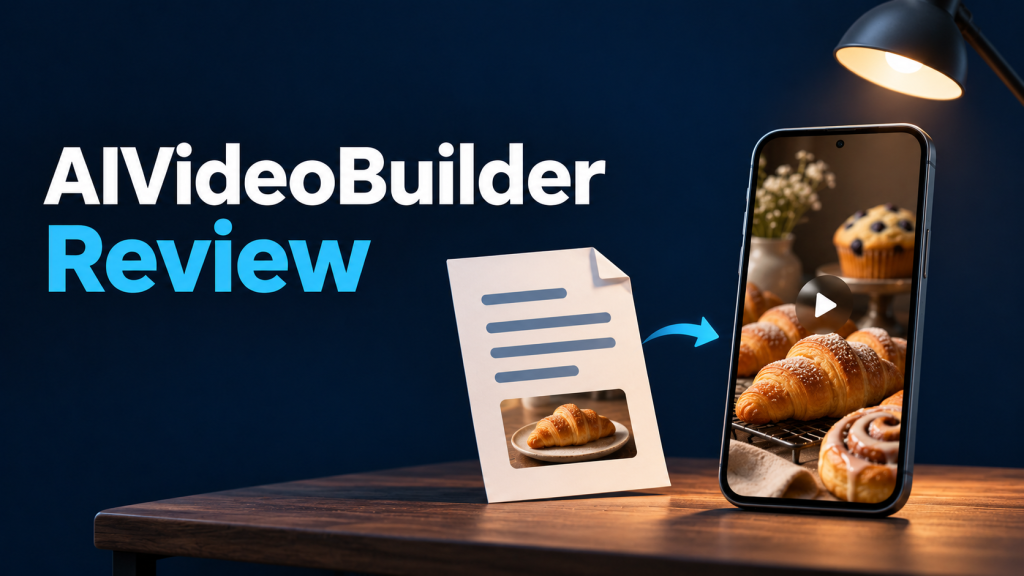
Quick verdict: AIVideoBuilder is worth a look if you want to turn an article, product announcement, or rough idea into a short video with an editable script, scenes, narration, and music. The $49 Commercial offer is where I’d start looking for an occasional promo or explainer. If you need a specific export resolution, clean exports for clients, or predictable monthly volume, check those details for the exact plan before paying.
Some links may be affiliate links (no extra cost to you). This review is based on the vendor’s public offer and supporting materials. I couldn’t verify rendering speed, export quality, or voice quality in a hands-on test.
Check the current AIVideoBuilder offer
What AIVideoBuilder actually helps you make
Think of it as a way to assemble a video draft. The vendor’s offer page describes starting with a keyword, pasted text, or a page URL. The tool can suggest a script and scene sequence, then bring in images, stock media, narration, and music. A drag-and-drop editor lets you change that draft before exporting. The offer lists portrait and landscape layouts.
The appeal is that you can start with something you’ve already written and see it broken into scenes. That’s especially handy for a blog recap, a short service explainer, or a promo where the deadline matters more than designing every transition yourself.
Example workflow: Turn an article into a 30-second promo
Say you run a bakery and want to turn a weekend menu announcement into a vertical social clip. This is an illustrative workflow based on the vendor’s feature descriptions.
- Start with the facts. Paste the item names, date, pickup window, and ordering instructions. Tell the tool who the clip is for and choose portrait framing for a phone-first post.
- Review the storyboard. Aim for a menu reveal, a close-up, and a final ordering card. Cut extra scenes if they slow down the message.
- Replace generic visuals. Use photos of the actual baked goods wherever the clip is showing what customers can order.
- Check the narration and text. Listen for mispronounced product names and verify the pickup time and order instructions against the source.
- Preview before export. Play the clip at phone size. Check that captions are readable and that the ordering card stays visible long enough to read.
Easy mistake: Starting with just “bakery promo” leaves the draft to fill in details it doesn’t have. Paste a short, factual brief instead and check the result scene by scene.
Commercial vs. Bundle: What the prices buy
- Commercial, advertised at $49 one time: The special offer advertises creation from a keyword, text, or URL, along with templates, narration, editing tools, and a commercial license for finished videos.
- Bundle, advertised at $149 one time: The page lists Elite, white-label access, Interactive Webstories, and Revideo, plus extras such as faster rendering and additional team accounts. Confirm the final checkout price and what’s included before committing.
For occasional creator videos, I’d start by checking whether the Commercial plan meets your export needs. The Bundle is easier to justify if you already need a listed feature such as white-label access or extra team accounts.
Check these details before buying
- Video limits and branding. The special-offer FAQ advertises unlimited video creation and up to 15 minutes per video. The vendor’s affiliate materials list 100 videos per month and a 10-minute cap for Commercial, and list branding removal under an upgrade. These may describe different offers. Confirm the monthly limit, maximum duration, export resolution, and whether the exact plan adds vendor branding. I couldn’t verify a current credit allowance or fair-use policy.
- Client use. The special offer advertises the ability to sell finished videos to clients. For client work, check whether the music, stock assets, and generated media you intend to use are covered for your distribution. Check white-label access separately if you want clients to use the software itself.
- Billing and refunds. The special offer describes one-time pricing and advertises a 30-day refund. Another vendor sales page describes refunds for unresolved technical issues only. Confirm the written terms for the exact checkout you use. One-time pricing alone doesn’t tell you how long hosted access or future updates are included.
Should you choose AIVideoBuilder or VideoExpress?
Look at AIVideoBuilder if your starting point is an article or brief and you want help assembling the script, storyboard, and narration. Look at VideoExpress if your starting point is an image you want to animate or a scene you want to generate and assemble in a timeline. My VideoExpress review explains that workflow and its clip-length trade-offs.
Who should take a closer look?
AIVideoBuilder makes the most sense for creators and small businesses who regularly have something to say and want a faster starting point for short videos. Bring one real brief and a list of what the final export must support. If those requirements match the Commercial offer, it’s the plan I’d consider first.
Frequently asked questions
Can I turn a blog post into a video without starting from a blank timeline?
The vendor lists URL and pasted-text inputs for building an editable draft. If the URL pulls in navigation or other irrelevant text, paste just the paragraphs and facts you want in the video.
Can I make both vertical and horizontal videos?
The special offer advertises portrait and landscape layouts. Choose the format for your destination first, then preview the framing and text at phone size before exporting.
Does the Commercial plan include white-label access?
The offer lists a commercial license for selling finished videos and lists white-label access in the Bundle. If clients need access to the software itself, check the Bundle’s account allowances and license terms before buying.
Can I test the export quality before buying?
I couldn’t verify an interactive free trial. If resolution, branding, or narration quality is critical, look for a sample export from the exact plan and confirm those details before paying.
See what’s included in the current offer
