
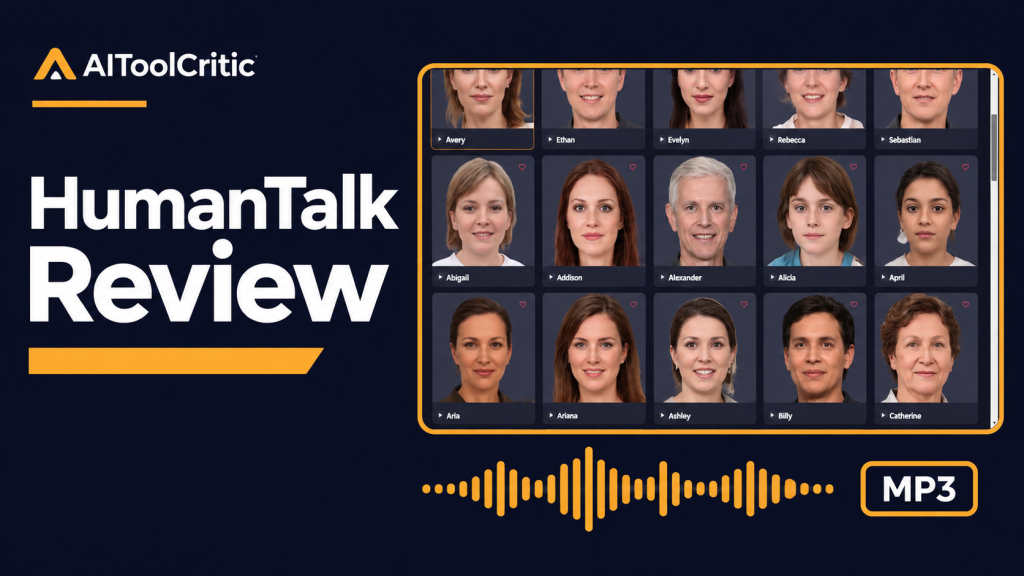
Quick verdict: HumanTalk is worth a look if you already make videos and need downloadable narration without recording every line yourself. The $49 Commercial plan gives you 120 minutes of audio generation per month, according to the seller. That’s the plan I’d consider for short tutorials. The $179 Unlimited plan is easier to justify when you regularly produce long narration or need one of its premium voices.
Some links may be affiliate links (no extra cost to you).
Check the current HumanTalk offer
Budget for the audio you generate
The linked offer lists both prices as one-time payments. Commercial includes the standard voice library, AI writing and summarizing tools, and an audio merger. The seller says the 120-minute allowance renews monthly. Unlimited adds premium voices and writing tools such as a prompt generator and Book Writer, along with advertised unlimited voice generation. The price difference is $130.
Say you publish four six-minute narrated tutorials a month. That’s 24 finished minutes. If you generated each full script three times, that would be 72 minutes of audio. That’s an illustrative workload estimate. The offer doesn’t explain precisely how previews and retries are metered, so check what the product deducts before planning around the limit.
Try one short voiceover before converting a whole script
Imagine you’re making a screen recording that shows beginners how to export a design as a PNG. Your goal is an MP3 you can drop into your editor and line up with the cursor movements. Here’s how I’d approach it.
- Record or outline the screen steps first. Break the script into three small chunks: opening the export menu, selecting PNG and checking the saved file.
- Listen to the vendor’s public voice samples. Pick two voices that suit an instructional video. If a particular accent or delivery style matters, check which plan includes it.
- Generate the trickiest paragraph first. Include “PNG,” the name of the app and an instruction with several steps. Listen for pronunciation and pauses. If an abbreviation sounds off, try spelling it out phonetically in the narration script while keeping the original on screen.
- Generate and save the remaining sections. Use the same voice and settings. Join them with the listed audio merger or place each MP3 on its own track segment in your editor. Play the finished tutorial through once to catch pauses that don’t match the screen.
Easy mistake: Regenerating six minutes of narration to fix one odd sentence. Work in sections and name the files in order. That makes it easier to swap one segment when a menu label changes.
This example is illustrative. I checked the offer and public voice demo listings. I didn’t generate audio in a paid account. Some Capterra reviewers like the voice variety and one-time pricing, and some report that certain voices still sound synthetic. Try the delivery style you need before committing a full project.
Which plan would I choose?
Start with Commercial if you mainly need short MP3 voiceovers and can find a voice you like in its library. Consider Unlimited if your normal production schedule would regularly exceed 120 generated minutes or your preferred voice is exclusive to that plan. If you need a digital presenter on screen too, see the VideoExpress review for a video production workflow.
HumanTalk buying questions
Is HumanTalk a monthly subscription?
The linked offer lists $49 Commercial and $179 Unlimited as single payments. Commercial renews its audio allowance monthly, according to the seller.
Do unused minutes roll over?
The vendor says credits renew monthly. The linked offer doesn’t say whether unused minutes carry forward. Ask the seller if your work comes in occasional large batches.
Do previews and corrections use my minutes?
The offer doesn’t give a detailed metering breakdown. Check the remaining balance before and after a short preview or regeneration when you first use the app.
Is there a maximum length for one job?
I couldn’t verify a per-job character or duration limit. For an audiobook or long course, start with a single section and check the workflow before feeding in a full chapter.
Can I download an MP3?
Yes. The vendor advertises downloadable MP3 voiceovers. If a client requires WAV or a specific sample rate, confirm those options separately.
Can I use the audio in paid client work or on YouTube?
The Commercial offer lists a commercial license and monetized YouTube use. Check the applicable terms for the voice and project, especially if a client wants to redistribute the audio on its own.
Can I clone my own voice?
The offer uses “voice clones” for the included voice library. I couldn’t confirm a feature that takes a recording of your own voice and builds a custom voice from it. Verify that separately if it’s essential.
Are emotional voice styles available in every language?
The vendor’s demo lists styles by voice and language. Check your specific accent, style and plan together before choosing.
Do I have to use HumanTalk’s AI writer?
You can bring a script you already wrote and use the text-to-speech workflow. The offer includes writing and summarization on Commercial and lists more writing tools on Unlimited.
Can I upgrade from Commercial later?
I couldn’t verify an upgrade price or whether the original payment would count toward it. Ask for the cost if you expect your production volume to grow.
Does Unlimited have fair-use limits?
The seller advertises unlimited generation on that tier. I couldn’t verify detailed limits for individual jobs or sustained high-volume use. Confirm those terms if you plan to produce audio in bulk.
What is the refund window?
The linked offer advertises a 30-day guarantee and gives a support email. Confirm the current terms at checkout and keep your receipt.
What I’d do first
Pick one paragraph from a real project, identify a voice you’d use, and estimate a typical month with room for corrections. If the voice and volume fit Commercial, the $49 offer is the place to start.
Check the current HumanTalk offer
