Free browser-based creator tool
AI Content Cleanup Tool
Built for bloggers, YouTubers, and creators who use AI drafts. Paste ChatGPT, Gemini, or other AI output and leave with clean text, Markdown, or WordPress-ready HTML to review and publish.
No content has been processed yet.
Common mistake + fix
Do not run Strong cleanup on finished copy and publish without checking it. Start with Standard, compare the result with the original, and restore any wording the draft actually needed.
Reality check: what this tool does not do
This cleans predictable writing and formatting problems. It does not fact-check the draft, rewrite every sentence, or guarantee that text will pass an AI detector. Read the result before publishing.
Want more garbage-output rescues?
Get new free creator tools and practical ChatGPT and Gemini fixes from AIToolCritic.
How the AI Content Cleanup Tool Works
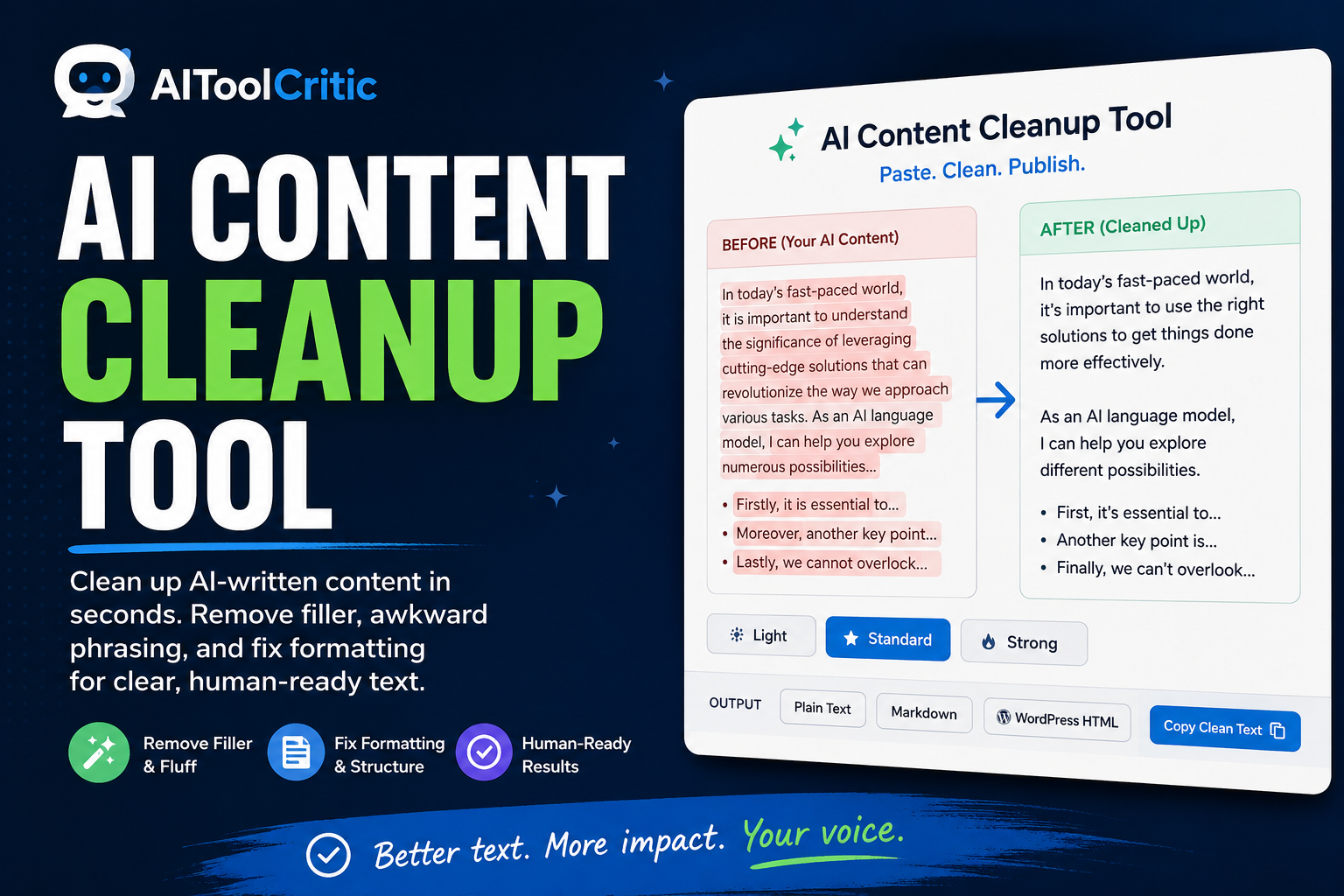
The AI Content Cleanup Tool is built around a simple paste-and-clean workflow. First, paste a draft from ChatGPT, Gemini, or any other AI writer into the input box. Second, choose a cleanup strength, from light formatting fixes to a strong pass that removes more filler, and pick an output format such as clean plain text, Markdown, or WordPress-ready HTML. Third, click Clean My Content and review the result before copying it or downloading it as a text file.
- Paste any AI-generated draft, no account or upload required
- Choose light, standard, or strong cleanup strength
- Export as plain text, Markdown, or WordPress-ready HTML
Why AI-Written Drafts Need a Cleanup Pass
Most AI writing tools default to a handful of habits that readers now recognize on sight: stock intros, tidy summary outros, long strings of em dashes, and the same transition words repeated in every section. Running a draft through an AI content cleanup tool before publishing helps it sound like it was actually edited by a person, which matters for reader trust and for brand voice consistency. Google has said publicly that it evaluates content on quality signals rather than how it was produced, but its own guidance on AI-generated content still expects the result to be original and genuinely useful, which is easier to achieve once filler and repeated patterns are removed.
Common AI Writing Patterns This Tool Removes
An AI content cleanup tool earns its place in your workflow by catching the small things that are tedious to fix by hand:
- Generic opening lines like “In today’s fast-paced world”
- Wrap-up paragraphs that restate everything already said
- Overused em dashes in place of simpler punctuation
- Copied citation brackets and reference markers
- Uneven spacing, stray blank lines, and inconsistent list markers
- Emoji and other flourishes that don’t fit a professional tone
From Cleanup to Publish-Ready Copy
Once a draft has been cleaned, the next step is getting it into whatever you’re publishing to. If the destination is a WordPress post, the ChatGPT to WordPress Formatter can take the cleaned text the rest of the way into ready-to-paste HTML. If your source material is a spoken recording rather than a chat transcript, the Free Transcript Cleanup Tool is built specifically for removing filler words from transcripts. And if the underlying prompt is what needs work rather than the output, run it through the Free Prompt Analyzer before you regenerate the draft.
Tips for Editing AI Drafts Like a Pro
An AI content cleanup tool handles the mechanical fixes, but a quick human read-through still matters. Check that examples and claims are accurate, tighten any sentence that repeats an idea from the paragraph before it, and read the piece aloud once to catch anything that still sounds stiff. Purdue’s widely used guide to revising drafts covers the same fundamentals and applies just as well to AI-assisted writing as to a first draft typed from scratch. If your draft is unusually long, the Free AI Token Counter & Smart Text Chunker can help you split it into manageable sections first.
Frequently Asked Questions
Is the AI Content Cleanup Tool free to use?
Yes. There’s no account, subscription, or paid API connection needed to clean a draft.
Does my draft get uploaded or stored anywhere?
No. Everything is processed in your browser, and your text is never sent to a server.
Will this tool make my writing sound completely human?
It removes the most common AI patterns and formatting issues, but a short human read-through is still worth doing before you publish.
Can I use the cleaned text directly in WordPress?
Yes. Choose the WordPress-ready HTML output format and paste the result straight into the block editor.
