
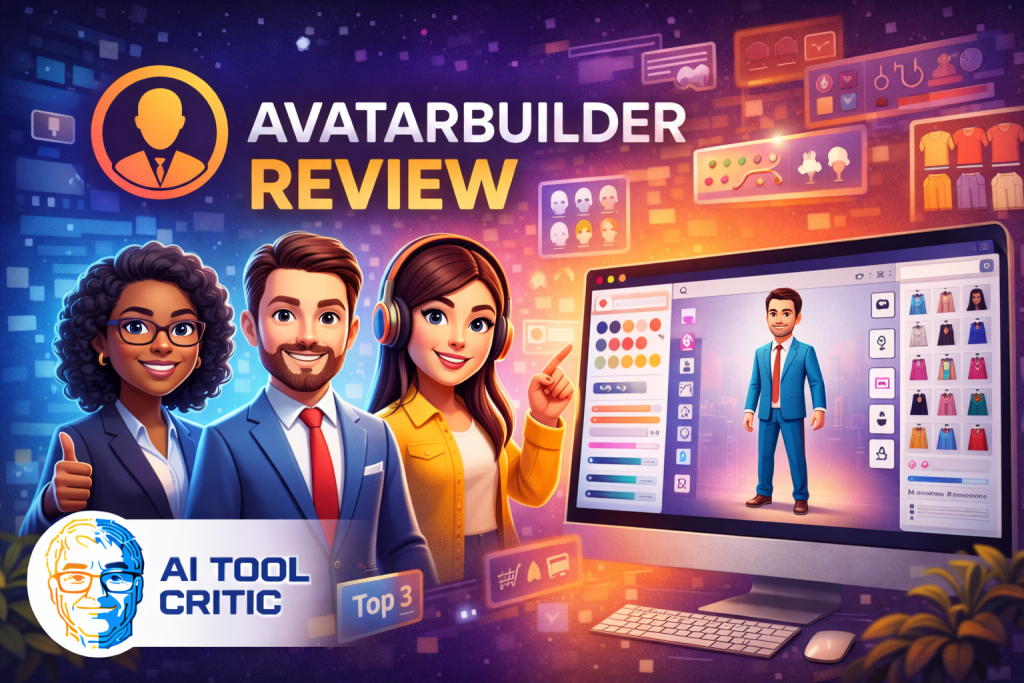
I have a confession: I absolutely hate filming myself. The lighting is never right, I stumble over my words, and suddenly a 30-second clip takes three hours to shoot. I almost gave up on video marketing entirely until I stumbled across AvatarBuilder. It promised to be the “on-camera talent” I desperately needed, without the monthly fees or the diva attitude. Naturally, I had to see if it was legit.
Key Takeaways
- Solves the “Camera Shy” Problem: Creates fully customizable 3D spokespersons so you never have to show your face again.
- Solves the “Monthly Fee” Trap: Unlike almost every competitor (Synthesia, HeyGen), this is a one-time payment deal.
- Solves the “Generic Look” Issue: You can build your avatar from scratch—hair, clothes, skin—so it doesn't look like a stock asset.
Quick Verdict
- Best For: Budget-conscious Marketers, Faceless YouTubers, Agencies.
- Top Feature: The “Visual Custom Avatar Builder” (literally build your own mascot).
- Rating: 4.6/5
Okay, but what exactly is this thing?
Imagine if you could hire a professional spokesperson who speaks 40 languages, never sleeps, and wears exactly what you tell them to wear—all for the price of a single takeout dinner. That's essentially what AvatarBuilder is. It's a cloud-based software that lets you create 3D animated videos with “Disney-style” characters as your presenters.
When I first heard about it, I was skeptical. Usually, “3D avatars” in this price range look like something out of a bad PlayStation 2 game. I expected glitchy movements and robot voices. But when I logged in, I realized this wasn't just a “text-to-video” tool; it was a full branding suite. You aren't stuck with generic presets; you can actually tweak the avatar to look like you (or a cooler version of you).
It combines three massive tools in one: a video creation wizard (that turns text into scenes), a text-to-speech engine (that actually sounds decent), and the avatar builder itself. It's designed for people who want to make explainer videos, ads, or social content but don't have the budget for a film crew or the patience to learn Adobe After Effects.
The Features That Made Me Say “Whoa”
I've tested a dozen of these tools, and usually, they all do the same thing. But AvatarBuilder threw a few curveballs that genuinely impressed me.
- The Visual Avatar Builder: This is the crown jewel. You don't just pick “Business Man A.” You choose face shape, skin tone, hair style, clothing, and even accessories. I spent way too long making an avatar that looks like a cyberpunk detective just because I could.
- AI Smart Scene Creator: You paste your script, and the AI automatically breaks it into scenes, finds relevant stock footage/images, and places the text on screen. It’s not perfect, but it cuts editing time by about 90%.
- Logo Mapping Technology: This is wild—you can upload your company logo, and the software will “print” it onto the avatar's shirt or blazer. It moves and flexes with the fabric. It makes the video look custom-made for your brand, not just a generic template.
- Multilingual “Lip-Sync”: It supports hundreds of voices in dozens of languages. The best part? The avatar's lips move in sync with the audio (mostly). It opens up global markets instantly.
Real World: How I Actually Used It
Features are cool on paper, but do they work when the deadline is looming? I put it to the test for three different projects.
- The Boring Update Video: I had to explain a policy change to a client. Instead of writing a long email they wouldn't read, I whipped up a 60-second video with a friendly avatar. The client actually watched it and replied, “Love the presentation!”
- The “Faceless” YouTube Ad: I created a promo for an affiliate product. I used the “Smart Scene” feature to pull in stock clips of people working out, overlaid with a sporty avatar giving the pitch. It took 15 minutes to make, and it looked like I paid an agency $500 for it.
- The Global Test: I took an old video script, translated it to Spanish using the built-in tool, and swapped the voice to a Spanish narrator. Boom. New market unlocked.
What ‘Jobs’ Can You Hire AvatarBuilder For?
Think of AvatarBuilder less like software and more like a very cheap, very compliant employee.
- The 24/7 Spokesperson: Hire it to stand on your landing page and welcome visitors, explaining your product tirelessly without ever needing a coffee break.
- The Rapid Ad Tester: Hire it to churn out 10 variations of a Facebook ad script in an hour so you can see which hook performs best without filming 10 different takes.
- The “Localizer”: Hire it to take your English content and clone it into French, German, or Portuguese to instantly expand your audience reach.
- The Course Creator: Hire it to present your educational modules so students have something to look at besides a boring PowerPoint slide.
My “Aha!” Moment with the Pricing
Let's be real—the tech is cool, but the pricing is the real disruptor here. I remember looking at high-end competitors like Synthesia. They are amazing, don't get me wrong, but paying $30 a month for 10 minutes of video felt steep for my needs.
When I saw AvatarBuilder was a one-time fee (around $49 depending on the sale), I hesitated. “Is this going to be abandoned software?” But after digging in, I realized the trade-off. You aren't getting hyper-realistic “deepfake” humans. You are getting stylized 3D characters. Once I accepted that style choice, the value proposition clicked. I could make 100 videos for my clients and never pay a dime in monthly royalties. That is massive for profit margins.
The Good, The Bad, and The 3D
Nothing is perfect, and I promised you the honest truth. Here is where AvatarBuilder shines and where it stumbles.
The Good Stuff
- ✅ No Monthly Fees: This is the biggest win. Buy it once, own it. The commercial license is included, so you can sell videos immediately.
- ✅ Customization Depth: Being able to change the avatar's clothes and put my logo on them is a feature even some expensive tools lack.
- ✅ Huge Asset Library: It comes packed with royalty-free images and videos, so you don't need a separate subscription to a stock footage site.
What I'd Change
- ❌ Interface Clutter: The dashboard has a LOT going on. It can feel a bit overwhelming at first glance compared to sleeker, pricier tools.
- ❌ Not Photorealistic: If you need a human that looks 100% real, this isn't it. These are 3D animated characters (think Pixar, not CNN).
Who is this actually for?
- You, The Affiliate Marketer: You need to pump out review videos and ads across multiple niches without filming yourself. This tool is your factory.
- You, The Small Agency Owner: You want to upsell “video creation” to local business clients (like plumbers or dentists) but don't want to hire a video editor.
A Note on Content Types: I found AvatarBuilder to be an absolute beast for explainer videos, social media ads, and sales letters. The stylized avatars are engaging and friendly. However, I probably wouldn't use it for a serious “CEO Apology” video or high-stakes medical advice where absolute human trust is required. For those, you need a real human face. But for marketing? It's gold.
- But, You'll Probably Hate It If…: You are expecting Hollywood-level CGI or deepfake realism. If you need your avatar to pass as a real human being to the naked eye, you need to spend the extra money on Synthesia.
FAQ: The Stuff You Actually Google
I dug through the “People Also Ask” questions so you don't have to. Here are the answers.
Yes! Unlike most SaaS video tools, the front-end offer is a single payment (usually ~$49) for lifetime access to the core features.
Absolutely. You can upload your own audio files, or even record directly inside the app, and sync it to the avatar.
Yes, it is 100% cloud-based. You access it through your web browser (Chrome, Safari, etc.), so your operating system doesn't matter.
For the standard version, no. There are optional upgrades (OTOs) for more assets/features, but the core software is fee-free.
They are very good for standard TTS. They use Amazon Polly and Google Wavenet tech. They aren't 100% human, but they are far better than the robotic voices of the past.
Yes, the Commercial License is typically included in the main launch offer, allowing you to sell videos to clients and keep 100% of the profit.
On the standard plan, videos are usually capped at around 3 to 5 minutes, which is plenty for most marketing needs. Upgrades allow for longer durations.
No, you cannot upload a photo to generate a 3D model. You build the avatar using the visual builder tools (selecting hair, eyes, etc.) similar to a video game character creator.
Generally, no. It operates on a low one-time price model with a 30-day money-back guarantee instead of a free trial.
Yes. The “Smart Scene Creator” makes it very easy for newbies. However, advanced customization does have a slight learning curve.
Final Verdict: The “Budget King” of Avatars
Here is the bottom line: If you are waiting for a tool that creates indistinguishable human replicas for $49, keep waiting—it doesn't exist. But if you want a powerful, flexible, and cost-effective way to create engaging video content without showing your face, AvatarBuilder is unmatched.
It solves the two biggest problems in video marketing: fear of the camera and fear of monthly subscriptions. For that alone, it's a permanent tool in my arsenal. Go build your brand mascot and start publishing.
How Does It Stack Up?
Not sure if AvatarBuilder is right for you? Here is how it compares to the big players in the space.
| Alternative | Rank | Rating | Best For | Key Feature Difference | Starting Price |
|---|---|---|---|---|---|
| Synthesia | #1 | 4.8/5 | Corporate Training | Hyper-realistic “Deepfake” avatars (looks like real video). | $22/mo |
| HeyGen | #2 | 4.7/5 | Personalized Social Videos | Incredible voice cloning and video translation. | $24/mo |
| Animaker | #3 | 4.5/5 | 2D Explainer Videos | Drag-and-drop 2D cartoons rather than 3D avatars. | $10/mo |
| CreateStudio | #4 | 4.6/5 | High-End Animation | Best quality 3D assets, but steeper learning curve. | $27/mo |
| Voki | #5 | 4.0/5 | Teachers & Students | Very basic, designed specifically for education/classrooms. | Free/Low Cost |
